Linux

Pagetables, TLB, Cache.

Commands


Command Description
File Commands


Basic File Operations


ls list
cp copy
mv move
Directory Operations


cd change directory
pwd print working directory

Essential Concepts

command useful flags
ls -lG
df
top -d1
lpr
last
curl -o url file
whois
clear
wc -f file
cd ~fred
pwd
printenv
type wc cd ll
which
alias
sort
date
set history
tmux
sleep
man
info
exit
less

Shell Job Control

jobs &
^Z suspend
fg %1
bg
disown

File Commands

Basic File Operations

command description
ls list files in a directory
cp copy a file
mv move (rename) a file
rm remove (delete) a file
ln create links (alternative names) to a file

Directory Operations

command description
cd change your current directory
pwd print the name of your current directory
basename print the final part of a file path, usually the filename
dirname print a file path without its final part
mkdir create (make) a directory
rmdir delete (remove) an empty directory
rm -r delete a nonempty directory and its contents

Viewing Files

command description
cat view files in their entirety
less view text files one page at a time
nl view text files with their lines numbered
head view the first lines of a text file
tail view the last lines of a text file
strings display text that’s embedded in a binary file
od view data in octal (base 8) or other formats

Creating and Editing Files

command description
nano a simple text editor found in virtually all Linux distros
emacs a powerful text editor from the Free Software Foundation
vim a powerful text editor based on Unix vi

Properties of Files

command description
stat display attributes of files and directories
wc count bytes, words, and lines in a file
du measure disk usage of files and directories
file identify (guess) the type of a file
mimetype identify (guess) the MIME type of a file
touch change timestamps of files and directories
chown change owner of files and directories
chgrp change group ownership of files and directories
chmod change protection mode of files and directories
umask set a default mode for new files and directories
lsattr list extended attributes of files and directories
chattr change extended attributes of files and directiories

Locating Files

command description
find locate files in a directory hierarchy
xargs turn a list of files into a list of commands (and much more)
locate create an index of files, and search the index for a string
which locate executables in your search path (command)
type locate executables in your search path (bash built-in)
whereis locate executables, documentation, and source files

Manipulating Text in Files

command description
grep find lines in a file that match a regular expression
cut extract columns from a file
paste append text from multiple files in columns
column organise text into columns
tr translate characters into other characters
expand convert from tabs to spaces
unexpand convert from spaces to tabs
sort sort lines of text by various criteria
uniq local identical lines in a file
tac reverse a file line by line
shuf randomly shuffle the lines of a file (permutation)
tee write to a file and print on standard output, simultaneously
awk
sed
m4

Compressing, Packing, Encrypting

command description
tar package multiple files into a single file
gzip compress files with GNU Zip
gunzip uncompress GNU Zip files
bzip2 compress files in BZip format
bunzip2 uncompress BZip files
bzcat uncompress BZip data to standard output
compress compress files with traditional Unix compression
uncompress uncompress files with traditional Unix compression
zcat uncompress to standard output (gzip or compress)
zip package and compress files in Windows Zip format
unzip uncompress and unpack Windows Zip files
7z package and compress/uncompress 7-Zip files
munpack extract MIME data to files
mpack convert a file to MIME format
gpg encrypt a file with the GNU Privacy Guard (GnuPG)

Comparing Files

command description
diff line-by-line comparison of two files or directories
comm line-by-line comparison of two sorted files
cmp byte-by-byte comparison of two files
shasum compute checksums of the given files
md5sum compute checksums of the given files (insecure)

Converting Files to other formats

command description
pandoc convert from one markup language to another
hxselect extract information from an HTML file
jq extract information from a JSON file
xmllint validate and extract information from an XML file
csvtool extract information from a comma-separated values (CSV) file
split split up a file simply into multiple files
csplit split up a file into multiple files using complex criteria

PDF and Postscript File Handling

command description
pdftotext extract text from PDF files
ps2ascii extract text from PostScript or PDF files
pdfseparate extract individual pages from a PDF file
pdftk split, join, rotate, and otherwise manipulate PDF files
pdf2ps, pdf2pdf convert between PDF and PostScript file formats
ocrmypdf perform optical character recognition (OCR) on a PDF

Spellchecking

command description
look look up the spelling of a word quickly
aspell interactive spelling checker
spell batch spelling checker

System Administration Basics

Filesystem Maintenance

Networking Commands

Getting Stuff Done

Emacs

This is my favourite text editor. It was created by programmers, for programmers.

This entire site that you are visiting has been created within Emacs. On top of that, it is really not far from Vanilla Emacs, that is how powerful this system is.
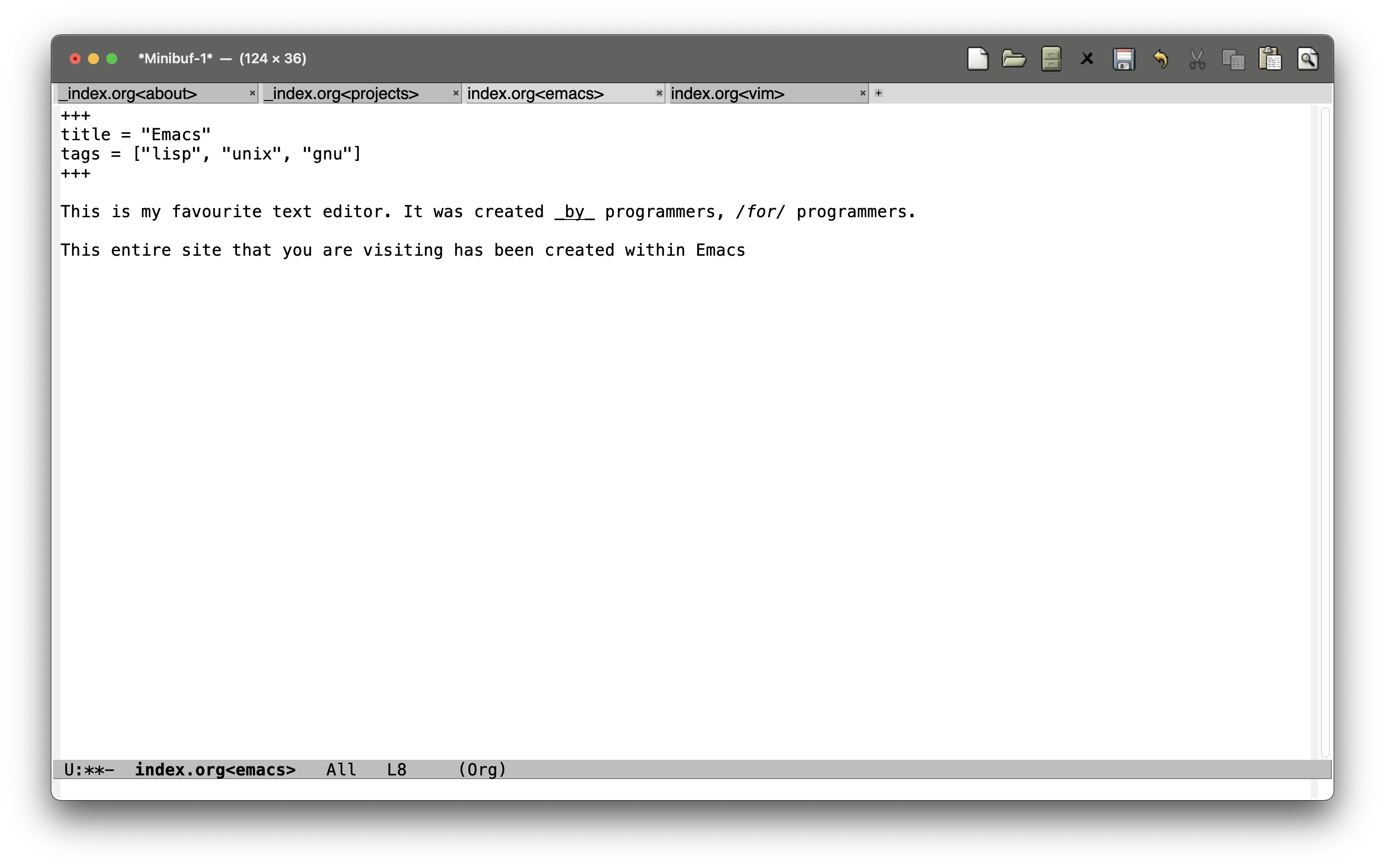
/wiki/ccs/linux/emacs/
window.png

I have not even been using Emacs for a year yet, I began in November of 2024. As such I hardly feel the right to comment further on this framework, but I do know it shall be one of my homes til the day I die.

Read more >

GNU Debugger

Breakpoints and Usage

You probably know you can type `break function_name` (this places a break at the START of the function). Not so useful for concurrency when you might be switching in and out of functions all the time. More useful is `break filename.c:XX`, where XX is line number.

(gdb) break producerconsumer.c:28
Breakpoint 5 at 0x80002bf8: file ../../asst1/producerconsumer.c, line 28.
(gdb) break producerconsumer.c:56
Breakpoint 6 at 0x80002dfc: file ../../asst1/producerconsumer.c, line 56.

Also check out backtrace (bt) and list (l)

Read more >

Regular Expressions

You should not be permitted to write production code if you do not have an journeyman licence in regular expressions or floating point math. β€”Rob Pike

. single character
\ escape
? optional character
* zero or more of previous
+ one ore more
| or on the word level
[] or for specific characters
^ not
\d digit
\s whitespace (tabs, carriage returns, null)
\b word boundary
\d{4} equiv \d\d\d\d
parenthesis and ? makes the stuff in parens optional
same for + and *
\w{n} n letter words
\w{n,k} n or k letter words

?*+ are "quantifiers"

Read more >

Vi Improved, a.k.a Vim

To manipulate code at the speed of thought.

It is the same reason that we learn to touch-type β€” to write at the speed of thought.

  • gg: go to the top of the file
  • G: go to the bottom of the file
  • b: go back a word
  • f: go forward a word
  • $: teleport to the start of the line, 0: teleport to the end.
  • replace everything within 2 parenthesis? no worries, it's natural: change in ( = "change in brackets" – duh!

Beyond being able to manipulate code on your own computer very quickly, the benefit of learning Vim is that you can manipulate code on any machine really quickly.

Read more >

Shell/s

There are many shells, all of them do the same thing β€” they allow you to manipulate your filesystem.

I have like all shells excluding Powershell1.

The Bourne shell (sh)

Origins

The Stephen Bourne Shell first appeared in Version 7 Unix (1979) at Bell Labs. It replaced the earlier Thompson shell and became the standard shell for Unix systems in the late 1970s and 1980s. Its design introduced structured programming features (variables, control flow) to improve on the limitations of older shells.

Read more >