unix is less an operating system than a worldview: everything is a file, every program does one thing, and text streams are the universal interface. linux is the worldview’s most successful implementation — a monolithic kernel started by a finnish undergraduate in 1991, now running most of the internet, every android phone, and the top 500 supercomputers without exception.𐃏this page is the trunk; the sharpened tools each get their own branch:
shell/s — the REPL for the operating system itself
one line divides the machine: the CPU’s privilege boundary. the kernel runs privileged — it owns the hardware, the scheduler, the page tables, the filesystems, the network stack. userland is everything else: your shell, your editor, your database, all sandboxed into per-process virtual address spaces and allowed to touch reality only by asking.
the asking mechanism is the system call: a controlled trap into the kernel (read, write, open, fork, execve, mmap, …). a syscall is a function call that changes privilege level, which makes it expensive relative to a normal call — hence buffered I/O in libc, and hence decades of engineering to keep hot paths out of the kernel (Tanenbaum, Andrew S., 2008).
the memory system is the part worth holding in your head (the original stub of this page was three words: pagetables, TLB, cache — fair summary): each process sees a flat virtual address space; page tables map virtual pages to physical frames; the TLB caches those translations because walking a four-level page table on every access would be ruinous; and the hardware caches (L1/L2/L3) sit under all of it hiding DRAM latency. the deep dive lives in memory.
the privilege boundary: userland asks, the kernel decides, the hardware obeys.
unix creates processes by cloning: fork() duplicates the calling process — same code, same (copy-on-write) memory, same open file descriptors — and returns twice: the child sees 0, the parent sees the child’s pid. the child then usually calls execve(), which replaces its entire program image with a new one while keeping the pid and file descriptors. the parent calls wait() to collect the child’s exit status. every shell command you have ever run is this trio (Tanenbaum, Andrew S., 2008).
#include<stdio.h>#include<stdlib.h>#include<unistd.h>#include<sys/wait.h>intmain(void){printf("parent: pid=%d\n",getpid());fflush(stdout);/* don't let the child inherit the buffer */pid_tpid=fork();/* one process in, two out */if(pid==0){/* child sees 0 */printf("child : pid=%d ppid=%d\n",getpid(),getppid());fflush(stdout);execlp("echo","echo","child : exec replaced me with echo",(char*)NULL);perror("execlp");/* reached only if exec failed */exit(1);}/* parent sees the child's pid */intstatus;waitpid(pid,&status,0);/* reap the child: no zombie */printf("parent: child %d exited with status %d\n",pid,WEXITSTATUS(status));return0;}
compiled with cc -Wall -o fork_demo fork_demo.c and run:
parent: pid=74830
child : pid=75103 ppid=74830
child : exec replaced me with echo
parent: child 75103 exited with status 0
the fflush before fork() is a genuine footgun, not pedantry: fork duplicates the stdio buffer too, and if stdout is redirected to a pipe or file (fully buffered), unflushed output prints twice.𐃏(Kernighan, Brian W. and Ritchie, Dennis M., 1988)
a child that exits before being wait()-ed becomes a zombie: dead, but its exit status still occupies a process-table slot until the parent collects it. a child whose parent dies first is an orphan, adopted and reaped by init (pid 1).
process lifecycle: the scheduler shuttles between ready and running; exit leads through zombie until the parent waits.
one rooted tree, no drive letters; disks, USB sticks, and even RAM-backed filesystems are mounted onto directories. the directories that matter:
dir
contents
/bin, /sbin
essential binaries (nowadays usually symlinks into /usr)
/usr
the bulk of userland: /usr/bin, /usr/lib, /usr/share
/etc
system-wide configuration, plain text almost throughout
/var
things that grow: logs (/var/log), spools, caches
/home
user home directories (/root for root)
/tmp
scratch space, usually wiped at boot
/dev
device nodes: disks (sda), terminals (tty*), null, random
/proc
virtual: the kernel’s live view of processes (/proc/1234/)
/sys
virtual: kernel objects, device tree, tunables
/boot
kernel images and the bootloader’s files
/proc deserves the double-take: cat /proc/self/status is a file read that fabricates its contents from kernel state on demand. “everything is a file” is not a slogan, it is an API decision.
every file carries an owner, a group, and nine permission bits — read/write/execute for user, group, other. each triple is one octal digit (\(r=4\), \(w=2\), \(x=1\)):
\(754 = 111\,101\,100_2\): owner rwx (\(4+2+1\)), group r-x (\(4+1\)), other r-- (\(4\)). the common defaults decode the same way: 644 for files (owner edits, world reads), 755 for directories and executables — where x on a directory means “may traverse into it”, a distinction that bites exactly once. new files start from 666 (files) or 777 (directories) masked by your umask, conventionally 022.
the tenth bit worth knowing is setuid (chmod u+s, shown as s in place of the owner’s x):
$ chmod u+s report.txt && ls -l report.txt
-rwsr-xr--  report.txt
a setuid executable runs with its owner’s identity instead of the caller’s — the mechanism that lets passwd (owned by root) edit /etc/shadow for you. it is also the classic privilege-escalation surface, which is why modern systems keep the setuid inventory as short as possible (Tanenbaum, Andrew S., 2008).
ps aux lists processes; top (or htop) watches them; kill is misnamed — it sends signals, of which termination is merely the default. the vocabulary:
signal
number
default action
meaning
SIGHUP
1
terminate
terminal hung up; daemons repurpose it as “reload config”
SIGINT
2
terminate
ctrl-c — polite interruption
SIGQUIT
3
core dump
ctrl-\ — interruption with evidence
SIGKILL
9
terminate
uncatchable, unblockable; the kernel just ends you
SIGSEGV
11
core dump
invalid memory access — the debugger’s dinner bell
SIGTERM
15
terminate
catchable “please shut down cleanly” — what kill sends by default
SIGTSTP
—
stop
ctrl-z — suspend, resumable
SIGCONT
—
continue
resume a stopped process
(the stop/continue numbers vary between platforms, so they are spelled by name.) a process can catch or ignore everything except SIGKILL and SIGSTOP — the kernel’s two non-negotiables. escalation etiquette: SIGTERM first, give it a moment, SIGKILL only for the unresponsive, because a SIGKILLed process gets no chance to flush buffers or remove lock files.
job control is signals wearing shell syntax: sleep 100 & backgrounds a job, ctrl-z stops the foreground one, jobs lists them, fg %1 / bg %1 resume them in fore/background, and kill %1 addresses them by job number. nohup (or disown) detaches a job from the terminal so logout’s SIGHUP misses it.
the unix philosophy in one operator: | connects one process’s stdout to another’s stdin through a kernel buffer, both processes running concurrently. programs become composable because they agree on the dumbest possible interface — a stream of bytes, usually lines of text. word-frequency analysis without writing a program:
$ printf 'to be or not to be that is the question\n' \
    | tr ' ' '\n' | sort | uniq -c | sort -rn | head -4
   2 to
   2 be
   1 the
   1 that
read it left to right: split words onto lines, sort so duplicates are adjacent (uniq only sees neighbours — the classic trap), count runs, sort numerically descending, keep four. five single-purpose tools, zero code. the same grammar handles files: > redirects stdout (truncating), >> appends, 2> redirects stderr, 2>&1 merges the two streams, < feeds stdin. the heavyweight stream tools — sed for editing in flight, awk for field-wise computation — are a page of their own over at regular expressions (Dougherty, Dale and Robbins, Arnold, 1997).
a package manager is a transactional installer with a dependency solver: it fetches signed archives from repositories, resolves the dependency graph, installs in the right order, and — crucially — knows how to undo. the family tree splits by lineage: debian/ubuntu use apt over .deb, red hat/fedora use dnf over .rpm, arch uses pacman, and macos fills the gap with homebrew or macports. the discipline they all buy you is the same: the package database is the inventory of your system, so nothing is installed that cannot be listed, verified, or removed.𐃏
power-on hands control to firmware (BIOS historically, UEFI now), which finds and runs a bootloader (GRUB, systemd-boot) — from the MBR under legacy BIOS, from the EFI system partition under UEFI; the bootloader loads the kernel image plus an initramfs — a small in-RAM root filesystem with just enough drivers to find the real one. the kernel initialises hardware, mounts the real root, and starts exactly one userland process: init, pid 1, which on nearly every modern distribution is systemd. systemd then brings up the rest of the system as a dependency graph of units — services, mounts, sockets, timers — in parallel, which is both why modern linux boots fast and why systemctl status is the first debugging command of the decade. everything running traces its ancestry to pid 1 — the process tree is literally a tree.
You should not be permitted to write production code if you do not have an journeyman licence in regular expressions or floating point math.
—Rob Pike
a regular expression is two things wearing one syntax: a seventy-year-old theorem about finite automata, and the single most-used text-processing tool on unix.𐃏this page takes both seriously: the theory tells you exactly what the notation can and cannot express, and the theory’s failure modes (backtracking blowups, backreference NP-hardness, the html-parsing folklore) are precisely where practitioners get burned.
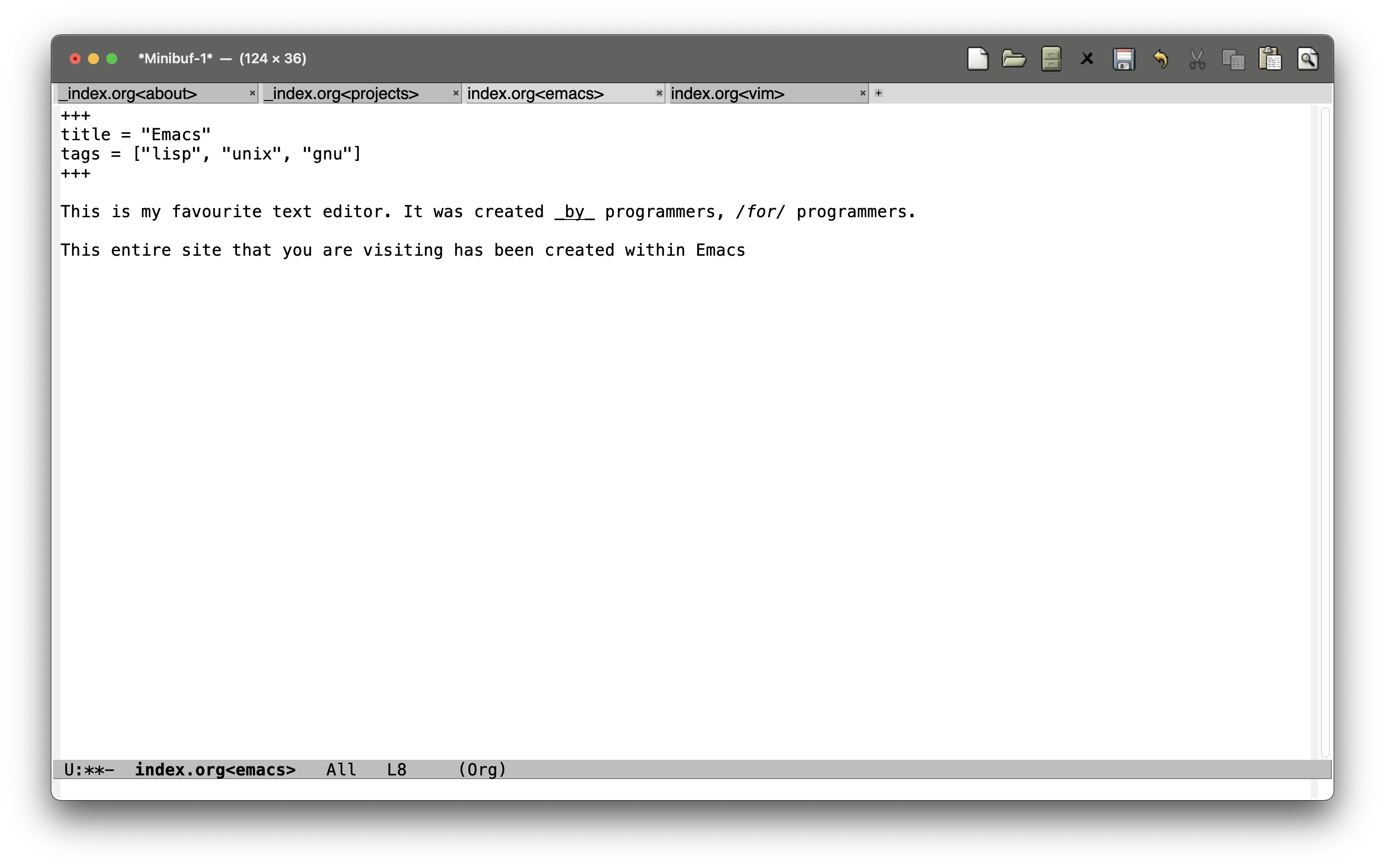
This is my favourite text editor. It was created by programmers, for programmers.
This entire site that you are visiting has been created within Emacs. On top of that, it is really not far from Vanilla Emacs, that is how powerful this system is.
I have not even been using Emacs for a year yet, I began in November of 2024. As such I hardly feel the right to comment further on this framework, but I do know it shall be one of my homes til the day I die.
You probably know you can type `break function_name` (this places a break at the START of the function). Not so useful for concurrency when you might be switching in and out of functions all the time. More useful is `break filename.c:XX`, where XX is line number.
(gdb) break producerconsumer.c:28
Breakpoint 5 at 0x80002bf8: file ../../asst1/producerconsumer.c, line 28.
(gdb) break producerconsumer.c:56
Breakpoint 6 at 0x80002dfc: file ../../asst1/producerconsumer.c, line 56.
It is the same reason that we learn to touch-type — to write at the speed of thought.
gg: go to the top of the file
G: go to the bottom of the file
b: go back a word
f: go forward a word
$: teleport to the start of the line, 0: teleport to the end.
replace everything within 2 parenthesis? no worries, it’s natural: change in ( = “change in brackets” – duh!
Beyond being able to manipulate code on your own computer very quickly, the benefit of learning Vim is that you can manipulate code on any machine really quickly.
concurrency is structure: many logical tasks in flight, interleaved on however many cpus you have (possibly one). parallelism is hardware: tasks literally executing at the same instant. a single-core machine juggling 400 socket connections is concurrent, not parallel; a gpu multiplying matrices is parallel, barely concurrent. you design concurrency; you buy parallelism (Tanenbaum, Andrew S., 2008).
a thread is an independent stream of execution inside one address space: own stack and registers, shared everything else. the sharing is the point — and the disease.
You should not be permitted to write production code if you do not have an journeyman licence in regular expressions or floating point math.
—Rob Pike
a regular expression is two things wearing one syntax: a seventy-year-old theorem about finite automata, and the single most-used text-processing tool on unix.𐃏this page takes both seriously: the theory tells you exactly what the notation can and cannot express, and the theory’s failure modes (backtracking blowups, backreference NP-hardness, the html-parsing folklore) are precisely where practitioners get burned.
a container is not a small virtual machine. it is an ordinary linux process (tree) that the kernel has been told to lie to — about what processes exist, what the filesystem looks like, what the network is, who root is — plus an accountant capping what it may consume. the lying is namespaces, the accounting is cgroups, and everything else (images, registries, orchestrators) is packaging around those two syscall families (Tanenbaum, Andrew S., 2008).
a database is a data structure that survives a power cut, shared by programs that don’t trust each other, queried in a language older than most of its users. the relational model has been declared dead roughly once a decade since 1970 and has outlived every announced successor.𐃏this page covers the model, the algebra underneath SQL, normalisation, the storage structures that make queries fast, and the machinery that keeps concurrent transactions honest.
the internet is a triumph of indirection: no layer trusts the one below to be reliable, timely, or even present, and yet a packet leaves your laptop, crosses a dozen autonomous systems owned by companies that actively dislike each other, and arrives.𐃏this page walks the stack bottom-up, then follows one HTTP request through DNS, TCP, and TLS to see every layer earn its keep.